About 2048 Classic
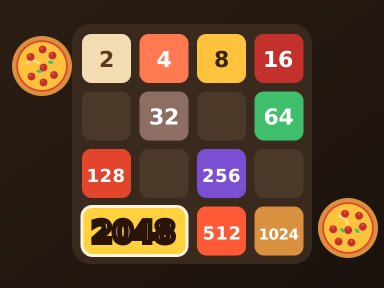
2048 Classic is a faithful version of the number-sliding puzzle that took over phones and browsers: every move pushes all the tiles on the grid in one direction, and any two matching numbers that collide merge into one worth double. Combine your way up through the powers of two and reach the 2048 tile to win.
The rules take seconds to learn, but the board fills up quickly if you move without a plan, which is where the strategy creeps in. You'll soon start noticing patterns, like keeping your largest tile tucked into a corner. This version also lets you change the animation speed, toggle sound effects and reset your personal stats, so you can tune it for brisk keyboard sessions or slow, thoughtful swiping. It appeals to all ages and fits neatly into a coffee break, though a promising run can easily stretch longer.
How to play 2048 Classic
- Click New game to start a fresh grid.
- Use the arrow keys, or drag with your mouse or finger, to slide every tile in one direction.
- When two tiles with the same number collide, they merge into one tile with double the value.
- Keep merging until you create the 2048 tile to win; if the grid fills with no moves left, the game is over.
2048 Classic controls
| Input | Action |
|---|---|
| Arrow keys | Slide tiles |
| Mouse drag / Swipe | Slide tiles |
| New game button | Start a new game |
Tips and tricks
- Pick a corner and keep your highest tile there, lining up descending values along the edge beside it.
- Rely mainly on two or three directions and avoid the move that would pull your big tile out of its corner.
- Merge small tiles early so they don't clutter the board and block bigger combinations.
- If the animations feel slow, speed them up in settings to keep a quick rhythm going.