About Stolen Sword
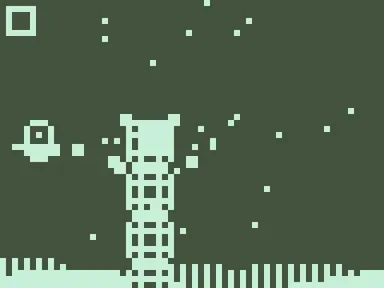
Pull back, and the world slows almost to a stop. A dotted arc shows where you'll fly. Let go, and your swordsman whips through the air, slicing anything on that path. Stolen Sword runs on a single finger, and its story follows a lone fighter tracking down whoever ran off with his blade. Every move is a small, calm decision you get to think over.
There's no running or jump button, just drag and release. Each hit on an enemy gives you another dash, so a smart chain can keep you airborne for a long time. Some foes shoot rings of red squares, some carry guards that knock you back, and getting hit twice restarts the wave. The chase moves through four calm stages, from bamboo groves to misty lakes.
How to play Stolen Sword
- Click or tap once the title appears to start.
- Hold and pull in the opposite direction of your target; time slows while you aim.
- Release to dash along the dotted path and cut through enemies.
- Chain hits together, since each strike gives you at least one more dash.
- Avoid red hazards and enemy shots; taking two hits restarts the current wave.
Stolen Sword controls
| Input | Action |
|---|---|
| Click and drag | Aim a dash |
| Release mouse | Dash and slash |
| Touch and drag | Aim a dash |
| Lift finger | Dash and slash |
How to play Stolen Sword on PC and mobile
On PC, laptop or Chromebook
- Press Play on this page – the game loads right here, with nothing to download.
- Click Fullscreen under the game for the biggest view. Press Esc to exit.
- Click once inside the game so it receives your keyboard input.
- Controls: Click and drag aim a dash; Release mouse dash and slash.
On phone or tablet
- Open this page in Chrome or Safari and tap Play.
- Turn your device to portrait – the game is designed for a tall screen.
- Touch controls: Touch and drag to aim a dash; Lift finger to dash and slash.
- Tap Fullscreen to hide the browser bars.
Tips and tricks
- Use short drags near the ground; they're easier to control than long pulls.
- Line up your next target before releasing so your chain doesn't break.
- Take your time while aiming, since the slow motion lets you read incoming shots.
- Splash into water in the later stages to refill your dashes.
Stolen Sword FAQ
How many dashes do I get?
Is my progress saved?
Can I play on my phone?
Can I play Stolen Sword for free?
Does Stolen Sword work on Chromebook and mobile?
Who made Stolen Sword?
Credits and license
- Original game
- Stolen Sword
- Made by
- Ian Chiao
- Source code
- github.com/chiaogu/stolen-sword
- Code license
- MIT
- Art and sound
- MIT (no image or audio files; everything is drawn in code and sounds use the ZzFX synth)
Stolen Sword runs from this site unchanged, with its original license and credits kept alongside the game files.