About Can't Get Back
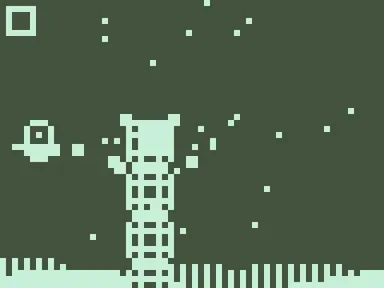
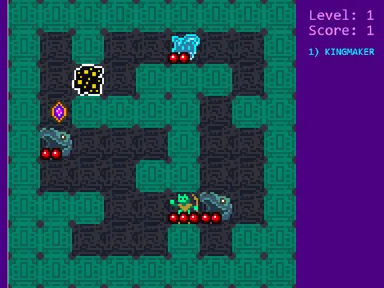
The grass keeps sliding past under your spinning little shape, and whatever drifts too far off the tilted board is gone for good. That is the twist in Can't Get Back: you can't double back for a machine you skipped. Somewhere out there are gray generators marked with numbers, and you have to find and switch them on from 1 upward, one after another, without wandering too far.
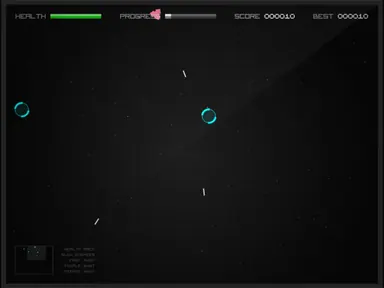
Black squares with red edges keep spawning and gliding toward you. A hit costs a heart and flings you across the field, so you shove them back with shots in four directions. Clear every generator and the next level adds another one to the list, plus an extra heart. Kipkat built this one for the 2019 js13k game jam, with all the art, sound and music made in code.
How to play Can't Get Back
- Hit Space at the title and let the short story scroll by.
- Steer around the field and look for gray generators with numbers on them.
- Stand next to the next generator in the sequence and press E to switch it on.
- Shoot in four directions to knock the chasing squares away.
- Finish all generators on a level to climb to the next one.
Can't Get Back controls
| Input | Action |
|---|---|
| Space | Start or restart |
| Arrow keys | Move |
| W / A / S / D | Shoot up, left, down, right |
| E | Use a generator or pickup |
| M | Mute music |
| L | Low-detail mode |
How to play Can't Get Back on PC and mobile
On PC, laptop or Chromebook
- Press Play on this page – the game loads right here, with nothing to download.
- Click Fullscreen under the game for the biggest view. Press Esc to exit.
- Click once inside the game so it receives your keyboard input.
- Controls: Space start or restart; Arrow keys move; W / A / S / D shoot up, left, down, right; E use a generator or pickup; M mute music; L low-detail mode.
On phone or tablet
Can't Get Back is built for a keyboard, so it plays best on a computer or Chromebook. On a phone it may load, but the controls won’t respond properly without a keyboard – try one of our touch-friendly Pizza Edition Originals instead.
Tips and tricks
- Keep an eye on the radar in the lower corner: green dots are generators, red are squares and blue are pickups.
- When the machine you need comes into view, hang around it so it doesn't scroll away.
- Hold the medkit until your hearts are low, because it refills all of them.
- Use the dark statue when squares surround you, since it makes you immune for a few seconds.
Can't Get Back FAQ
Why won't a generator turn on?
Can my shots kill the squares?
What happens when I lose all my hearts?
Can I play Can't Get Back for free?
Does Can't Get Back work on Chromebook and mobile?
Who made Can't Get Back?
Credits and license
- Original game
- Can't Get Back
- Made by
- Kipkat
- Source code
- github.com/js13kGames/cant-get-back
- Code license
- MIT
- Art and sound
- MIT (graphics drawn in code, ZzFX sound effects and music generated in code)
Can't Get Back runs from this site with small changes, which are listed in “What we changed”. The original license and credits are kept with the game files.