About Radius Raid
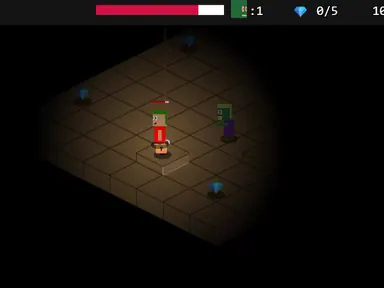
Your small ship floats in a space arena bigger than the screen, and enemies drift in from all sides. The keyboard moves you while the mouse points your gun, so flying and aiming are two separate jobs. Hold the left button to spray shots toward the pointer. A mini-map shows enemies that are still out of view, and power-ups like Triple Shot help when things get crowded.
Enemies never shoot back. They hurt you only by touching your ship, and your health drains for as long as contact lasts. Each kill fills a progress bar, and a full bar takes you to the next level, which adds a new enemy type such as splitters, stealth ships or spawners. Jack Rugile built Radius Raid for js13kGames 2013. Want more space action? Browse our shooting games games.
How to play Radius Raid
- Press PLAY to start a round.
- Move your ship with W A S D or the arrow keys.
- Point with the mouse and keep the left button down to shoot.
- Destroy enemies to fill the Progress bar and reach the next level.
- Stay away from enemies, since contact drains your health.
Radius Raid controls
| Input | Action |
|---|---|
| W A S D / Arrow keys | Move |
| Mouse | Aim |
| Hold left click | Fire |
| F | Toggle autofire |
| P | Pause |
| M | Mute |
How to play Radius Raid on PC and mobile
On PC, laptop or Chromebook
- Press Play on this page – the game loads right here, with nothing to download.
- Click Fullscreen under the game for the biggest view. Press Esc to exit.
- Click once inside the game so it receives your keyboard input.
- Controls: W A S D / Arrow keys move; Mouse aim; Hold left click fire; F toggle autofire; P pause; M mute.
On phone or tablet
- Open this page in Chrome or Safari and tap Play.
- Turn your device to landscape – the game is designed for a wide screen.
- Touch controls: Tap to aim; Tap to fire.
- Tap Fullscreen to hide the browser bars – a larger tablet screen works best for this one.
Tips and tricks
- Keep moving, since your ship drifts and can slide past chasers instead of stopping in their path.
- Check the mini-map for off-screen enemies and turn your aim toward them early.
- Destroy spawners quickly before they release more chasers.
- Shoot splitters from a distance so you have room to deal with the pieces.
Radius Raid FAQ
How do I level up?
What does autofire do?
Why did the game pause?
Can I play Radius Raid for free?
Does Radius Raid work on Chromebook and mobile?
Who made Radius Raid?
Credits and license
- Original game
- Radius Raid
- Made by
- Jack Rugile
- Source code
- github.com/jackrugile/radius-raid-js13k
- Code license
- MIT
- Art and sound
- MIT (shapes drawn in code; sound effects generated with JSFXR, Apache-2.0)
LICENSE-jsfxrLICENSE.mdWhat we changed
Radius Raid runs from this site with small changes, which are listed in “What we changed”. The original license and credits are kept with the game files.