About PoliGuard
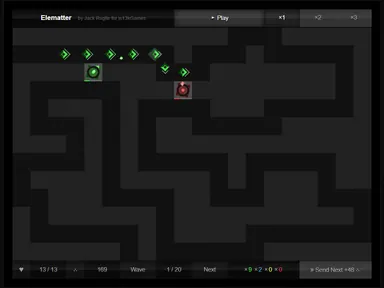
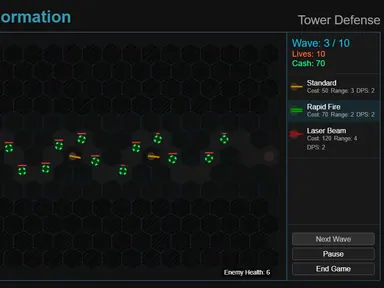
Red enemies stream along a zigzag orange road, and your stars, squares and diamonds open fire as soon as they come in range. In PoliGuard, waves of attackers never stop coming, and every piece of the battlefield is made from simple glowing shapes. You place towers beside the road to stop each wave before it slips through and costs you one of your lives.
There are seven tower types, from basic shooters to snipers and towers that freeze, poison or explode. Each upgrade you buy boosts every tower of that kind, so picking a few favorites and building them up pays off. Each new wave brings more, tougher and faster enemies. Your aim is to survive as long as possible and post a high score before your ten lives run out.
How to play PoliGuard
- You begin with 10 lives and 100 coins; choose a tower by clicking its card or pressing 1 through 7.
- Click an empty square off the road; a green outline means the spot is valid.
- Earn coins and points from every enemy you destroy.
- Spend coins on more towers or on upgrades from a tower's card.
- Survive as many waves as you can before all ten lives are gone.
PoliGuard controls
| Input | Action |
|---|---|
| 1 to 7 / Click a tower card | Choose a tower to build |
| Left-click | Place the chosen tower |
| Right-click a tower | Change its targeting |
| Escape | Cancel your current choice |
| Delete / Click Remove | Toggle remove mode for a partial refund |
| Scroll wheel / Drag | Zoom and pan the map |
| Click Pause, 0.5x, 1x or 2x | Pause or change game speed |
How to play PoliGuard on PC and mobile
On PC, laptop or Chromebook
- Press Play on this page – the game loads right here, with nothing to download.
- Click Fullscreen under the game for the biggest view. Press Esc to exit.
- Click once inside the game so it receives your keyboard input.
- Controls: 1 to 7 / Click a tower card choose a tower to build; Left-click place the chosen tower; Right-click a tower change its targeting; Escape cancel your current choice; Delete / Click Remove toggle remove mode for a partial refund; Scroll wheel / Drag zoom and pan the map; Click Pause, 0.5x, 1x or 2x pause or change game speed.
On phone or tablet
- Open this page in Chrome or Safari and tap Play.
- Turn your device to landscape – the game is designed for a wide screen.
- Touch controls: Tap to choose a tower to build; Tap to place the chosen tower; Tap to change its targeting; Tap to toggle remove mode for a partial refund; Drag your finger to zoom and pan the map; Tap to pause or change game speed.
- Tap Fullscreen to hide the browser bars – a larger tablet screen works best for this one.
Tips and tricks
- Your starting coins buy exactly two Basic Towers, which handle the first waves well.
- Put towers on the inside of road bends so they can hit enemies on both sides of the turn.
- Pair an Ice Tower with damage towers so slowed enemies take more hits.
- Right-click Sniper Towers and set them to target the strongest enemy in range.
PoliGuard FAQ
Do upgrades affect every tower?
What do I get for removing a tower?
Is there a last wave?
Can I play PoliGuard for free?
Does PoliGuard work on Chromebook and mobile?
Who made PoliGuard?
Credits and license
- Original game
- PoliGuard
- Made by
- Ion Mateus
- Source code
- github.com/IonMateus/poliguard
- Code license
- MIT
- Art and sound
- MIT (shapes drawn in code; emoji icons come from your system font)
LICENSELICENSE-tailwindcssWhat we changed
PoliGuard runs from this site with small changes, which are listed in “What we changed”. The original license and credits are kept with the game files.