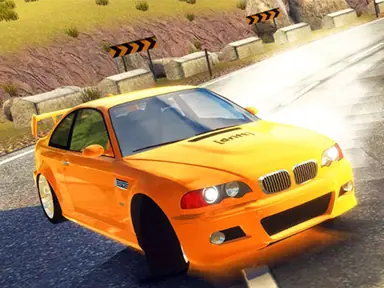
About City Car Parking 3D
Careful driving earns its rewards in City Car Parking 3D, a simulator that blends precise maneuvering with a surprising amount of vehicle customization. You complete tasks around the city, and that progress feeds into building the car you actually want to drive. Realistic touches like fuel consumption and damage mean you can't just floor it everywhere, because scrapes and an empty tank both have consequences.
That simulation edge makes for a calmer, more deliberate experience than a typical arcade racer. You'll spend time lining up angles, judging distances in 3D and watching your gauges, with a nitro boost on hand for stretches where speed matters. It suits players who enjoy precision driving and gradual progression, and the customization gives you a clear goal to work toward between jobs.
How to play City Car Parking 3D
- Drive to each task around the city using WASD or the arrow keys.
- Maneuver carefully into position to complete the objective without wrecking your car.
- Keep an eye on your fuel level and damage as you go.
- Use what you earn from completed tasks to customize your vehicle.
City Car Parking 3D controls
| Input | Action |
|---|---|
| W A S D / Arrow keys | Drive and steer |
| F | Activate nitro |
| R | Free your car if it gets stuck |
Tips and tricks
- Approach parking spots slowly and line up early; last-second corrections usually end with a bump and extra damage.
- Save nitro for open roads where you have room to slow down afterward.
- If your car gets wedged on scenery, press R instead of revving against it and adding more damage.
- Check your fuel before setting off on a long drive between tasks.