About Sky Hop
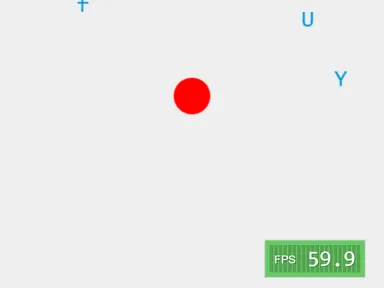
There is no jump button in Sky Hop. Your little orange ball bounces on its own whenever it touches down on a ledge, and all you do is guide it left or right toward the next one. The camera only moves upward, so if you miss a landing and fall off the bottom, the climb is over. It sounds easy, but the ball keeps drifting, so timing your steering matters.
At first every platform is solid green. Higher up, brown ones crumble after a single bounce, blue ones slide back and forth, and springs fling you much higher than usual. Your score grows with the greatest height you reach, and your best is kept in your browser. The game comes from the open-source LittleJS Arcade collection by Frank Force. Like it? More bouncy platformer games games are waiting.
How to play Sky Hop
- Press Play to start bouncing on the bottom platform.
- Steer left and right to line the ball up over the next platform.
- Ride springs for big boosts in height.
- Wrap through one side wall to come out on the other.
- Climb as high as you can before you fall off the bottom.
Sky Hop controls
| Input | Action |
|---|---|
| Left / Right arrows or A / D | Steer |
| Enter | Select Play |
| Escape | Pause |
| Drag on-screen stick | Steer on touch screens |
| Tap Play | Start a climb |
How to play Sky Hop on PC and mobile
On PC, laptop or Chromebook
- Press Play on this page – the game loads right here, with nothing to download.
- Click Fullscreen under the game for the biggest view. Press Esc to exit.
- Click once inside the game so it receives your keyboard input.
- Controls: Left / Right arrows or A / D steer; Enter select Play; Escape pause.
On phone or tablet
- Open this page in Chrome or Safari and tap Play.
- Turn your device to portrait – the game is designed for a tall screen.
- Touch controls: Drag on-screen stick to steer on touch screens; Tap Play to start a climb.
- Tap Fullscreen to hide the browser bars.
Tips and tricks
- Let go of the direction a bit early, because the ball keeps drifting after you release it.
- If the next platform is near the far wall, wrapping through the near wall can be quicker.
- Brown ledges vanish after one bounce, so start steering for the next one as soon as you land.
- Aim for the spot a blue platform is heading to, not where it sits right now.
Sky Hop FAQ
How do I jump?
What do the platform colors mean?
How do I play on a phone?
Can I play Sky Hop for free?
Does Sky Hop work on Chromebook and mobile?
Who made Sky Hop?
Credits and license
- Original game
- Skyhop
- Made by
- Frank Force
- Source code
- github.com/KilledByAPixel/LittleJSArcade
- Code license
- MIT
- Art and sound
- MIT (ball and platforms drawn in code from simple shapes, sound effects generated at runtime)
LICENSELICENSE-LittleJS-engineWhat we changed
Sky Hop runs from this site with small changes, which are listed in “What we changed”. The original license and credits are kept with the game files.